Starting a blog can be a fun and rewarding experience, no matter your age.
As someone who’s helped many friends and family members set up their first blogs, I know that seniors have unique stories, tips, and insights to share. Blogging is a great way to connect with others, preserve memories, and even learn new skills along the way.

Lots of people wonder if they have the tech skills or ideas to get started. The truth is, you don’t need to be a computer whiz, and there’s a whole world of options designed to make blogging simple. In this updated seniors starting a blog guide for 2026, I’m walking you through every step to get a blog going as a senior. Whether you want to write about life experiences, travel, hobbies, or family history, you’ll find the help you need right here. Plus, you’ll find extra advice for developing confidence and new ideas as your blogging skills grow.
Step 1: Find Your Blogging Purpose & Niche
Before you set up a blog, it helps to think about what you want to write about and why. This is a big part of getting started with confidence. Blogs are as unique as their authors, and choosing a topic that excites you will make the whole process more enjoyable and authentic.
Questions to Help You Define Your Blog’s Focus:
- What hobbies or interests do I love to talk about? (Gardening, cooking, pets, travel, local history, etc.)
- Are there life lessons, stories, or family history I’d like to share?
- Do I want my blog to help others (tutorials, advice, support) or just be a personal journal?
- Is there a certain group of people I want to connect with? (Other seniors, family, travelers, hobbyists, etc.)
Examples of Blog Ideas for Seniors:
- Stories from my childhood and early years
- Travel adventures & lessons learned on trips
- Favorite family recipes and cooking tips
- Hobby blogs: sewing, woodworking, music, or gardening
- Opinions and stories about experiencing retirement
- Reminiscing about the “good old days” and reflecting on how things have changed
- Offering advice for younger generations about careers, life choices, or relationships
Once you have a topic in mind, you’ll find it easier to pick a name and stay motivated. Seniors blogging tips for 2026 almost always mention that clear goals make the work much more fun and rewarding. If you’re torn between a couple of themes, you can blend your passions together or keep various topics in rotation, so you always have something fresh to write about.
Step 2: Choose a Blogging Platform That’s Right for You
Picking the right platform is pretty important because it sets the tone for how easy it will be to write, post photos, and share updates. Luckily, there are blogging platforms for seniors that focus on being userfriendly and low stress. Here are some of the most popular options going into 2026:
Top Blogging Platforms for Seniors:
- Blogger – Free from Google, simple to set up, works easily with your Google account.
- WordPress.com – A favorite for personal blogs, offering a range of free (and paid) themes. Easy to use, lots of support.
- Wix – Drag and drop builder great for beginners who want to customize without coding.
- Weebly – Another drag and drop choice, popular because it’s straightforward and doesn’t overwhelm you with options.
- Squarespace – Clean design and strong customer support, though it comes with a monthly fee after a trial.
- Wealthy Affiliate– My favorite Platform teaching beginners affiliate marketing, website building, SEO, community support.
All these sites are designed to make it easy for new users to get up and running. Try creating a test blog or explore the platform’s demo features. Most platforms let you play around before committing. If you get stuck, nearly all offer help guides, online support, and big online communities to ask questions and share problem-solving tips.
Step 3: Pick a Blog Name and Set Up Your Domain
Your blog name is a little like choosing a title for a book. It should reflect your topic or style and be easy for others to remember. Here are a few ideas for picking a blog name:
- Keep it simple and clear (e.g., “Jane’s Garden Journal” or “Retiring with Grace”)
- Use words that hint at your blog’s theme (travel, stories, tips, memories, etc.)
- Check to see if the name is available as a website domain (dot com is most common, but .net or .blog are also options)
- Say the name out loud a few times to check if it’s catchy or too long
Most blogging platforms walk you through the process of setting up your domain name and handle the technical stuff for you. Some will let you use a free subdomain (like janesblog.wordpress.com) if you don’t want to purchase a unique domain right away. If you want your own domain (like janesgarden.com), most platforms help you search for and register available names.
Step 4: Design Your Blog & Make It Welcoming
First impressions matter, but you don’t need to be a professional designer. Most platforms provide free templates (often called “themes”) that you can personalize with your favorite colors, fonts, and photos. These let you create a look that matches your personality and topic.
Seniors Blogging Tips for Blog Design:
- Pick larger, easy to read font sizes and avoid busy backgrounds
- Use contrasting colors for text and background to improve readability
- Choose a layout that keeps your posts organized. Most themes include a sidebar, menus, and search bar
- Add a simple profile photo and a brief “About Me” section so visitors can learn who you are
- Include clear titles for each post and a table of contents for easier navigation
- Add a “Contact” page if you’d like people to reach out, but include only info you’re comfortable sharing
Blogging platforms for seniors like Blogger, WordPress.com, and Wix all make design changes easy with preview modes and undo options. You can always change your site’s design later as you find your style.
Step 5: Write Your First Blog Post
Writing your first post usually feels like the biggest hurdle. I always tell my friends: don’t overthink it, just start writing! Your first entry might be a quick introduction or a story you’ve been itching to share. Here are a few pointers to get your words flowing:
- Introduce yourself and explain why you’re starting a blog
- Share one interesting story or experience that matches your blog’s theme
- Edit your post for clarity and fix any typos, but don’t worry about being perfect
- Ask a friend to read your post if you want a second opinion before publishing
- Add a photo or quote to bring your post to life
You can even add photos or links. Most platforms use what’s called a “visual editor,” so you can see exactly how your post will look online while you write. Over time, you’ll build confidence and develop a natural writing rhythm that fits your topics and audience.
Step 6: Master the Basics of Blog Maintenance
Once you’ve got your blog running and your first post up, you’ll want to stay consistent. Here’s how to keep things running smoothly:
- Decide how often you’d like to post; once a week, every two weeks, or monthly
- Keep your blog software updated. Almost all updates are automatic for major platforms
- Reply to comments and interact with readers to build friendly connections
- Back up your blog. Most platforms do this for you, but check your settings
- Take time to update your “About Me” or profile as your blog grows
Best Blogging Tools for Seniors:
- Spelling and grammar tools like Grammarly or built-in spellcheckers
- Simple photo editors like Canva for creating and resizing images
- Free image sites (like Unsplash or Pixabay) for blog ready photos
- Notetaking apps (like Evernote or Google Keep) to jot down ideas
- Calendar reminders to keep a schedule for posting or interacting with readers
These tools make it easy to keep your blog looking fresh and professional, even if you’re new to all this. Try out one or two, then add others as you become more comfortable.
Step 7: Share Your Blog & Grow Your Community
The best part of blogging is connecting with people; friends, family, or total strangers who enjoy your work. Getting the word out makes writing even more fun and builds lasting friendships.
Ways Seniors Can Promote Their Blog:
- Send your blog link to friends or family in email or group texts
- Share posts on social media platforms you’re comfortable with. Facebook is super popular for sharing family stories and travel updates
- Look for blogging communities, forums, or groups just for senior bloggers
- Leave thoughtful comments on other blogs you enjoy, and include your blog link in your profile
- Print business cards with your blog address to hand out at clubs or local meetups
Top blogging strategies for seniors also highlight participating in link up parties, blog hops, or challenges. These are online events where bloggers visit and comment on each other’s work, making it easier to make friends and find new readers. Reach out to your local library, community center, or senior center, they often promote senior blogs and may want to feature your story.
Step 8: Keep Learning & Stay Inspired
No one masters blogging overnight! I always like trying out new tips or features as I get more comfortable. Here’s how to keep building your skills and enjoying the process as a senior blogger:
- Watch YouTube tutorials. There’s a ton on every blogging topic, from photo editing to writing headlines
- Follow other senior bloggers for inspiration and support
- Keep a notebook or digital list of post ideas as they pop into your head
- Try adding photos, videos, or even audio to your posts as you get more confident
- Don’t be afraid to change your blog’s look or focus over time
- Join online workshops or webinars specific to senior technology topics
- Share your experiences; you never know who might stumble upon the motivation they need from your story
Tech updates and new blogging tools for seniors come out every year. By staying curious and open to small changes, you’ll keep things fresh and interesting. Ask your kids, grandkids, or younger friends if you need help learning something new.
Frequently Asked Questions & Troubleshooting
What if I’m not “tech-savvy”?
Most blogging platforms for seniors are built to be userfriendly. If you get stuck, search for video walk throughs or printable step by step guides. Local libraries and community centers sometimes offer classes or one on one help too. Don’t hesitate to send a message to support, or jump into online forums for quick answers.
How do I protect my privacy?
- Use a nickname or just a first name if you’re not comfortable sharing your full identity
- Share only the personal details you want; family members, locations, and photos can be left out or changed
- Check your blog platform’s privacy settings. Many can make your blog private or available to invited readers only
- Set up a separate email address for your blog, to keep your main inbox uncluttered
What if I run out of ideas?
- Look up blogging prompts online. There are hundreds of idea lists tailored for seniors
- Browse old photo albums for stories, memories, or inspiration
- Ask friends or family what they’d enjoy reading about
- Update older posts with new details or lessons learned
- Invite a guest writer, like a friend or family member, to share a post
Can I earn money from my blog?
Some seniors enjoy turning their blogs into a side hustle, but it’s not necessary. If you’re interested, platforms like WordPress.com and Blogger let you add ads or affiliate links (just be sure to read up on their terms). There are lots of online guides that walk you through simple monetization options for beginners. If you do choose to pursue this, keep expectations realistic, many people blog just for fun and community, but a small income is possible over time.
Practical Next Steps for Seniors Ready to Begin Blogging
Starting a blog is a personal adventure. The best approach is to move at your own pace and choose the features and topics that interest you most. Here’s a quick action plan for seniors getting started:
- Decide what type of blog you want and pick your platform (WordPress, Blogger, Wix, etc.)
- Choose a simple blog name and set up your account
- Write a short introduction and post your first story or experience
- Share your blog link with friends, family, or fellow hobbyists
- Explore new blogging tools and tips for seniors to keep things fun and easy
- Enjoy the process, connect with others, and keep learning over time
Every blogger’s adventure is a little different, but the most successful ones are open to experimenting and connecting with readers. If you’re already blogging or thinking about starting, I’d love to know what topics you’re considering. Leave your ideas below to inspire others!



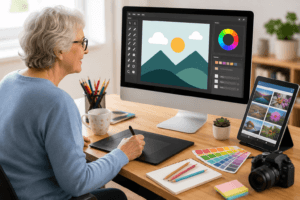


This article gives a very encouraging overview of how seniors can start a blog from scratch, even without much technical experience. I like how it explains that blogging is not only a way to earn money, but also a chance to share knowledge, hobbies, and life experience. Many people who start blogging later in life say the hardest part is simply getting started, but once they choose a topic they enjoy, the process becomes much easier. In my opinion, seniors often make excellent bloggers because they have unique stories and valuable advice that younger audiences can learn from.
That’s such a great perspective. I really agree that seniors have a unique advantage when it comes to , blogging their life experience naturally brings depth and authenticity that’s hard to replicate. I also like the point about getting started being the hardest step; once there’s a topic you genuinely care about, it stops feeling like a task and becomes something enjoyable. Blogging can definitely be more than just a source of income, it can be a meaningful way to stay creative, connected, and even inspire others across generations.