Getting comfortable online can really change daily life. Whether it’s chatting with grandkids, managing doctor’s appointments, or finding a new hobby, digital skills help make things easier and more connected. I know a lot of seniors might feel nervous about jumping into technology, but I promise there are some great online courses out there that start with the basics and build up at a comfortable pace. Here’s a full rundown on the best online courses to boost digital skills for seniors, plus ways to get started and tips for making the adventure enjoyable.

Why Digital Skills Matter for Seniors
Digital skills are more useful now than ever. I’ve seen firsthand how being able to use a computer, tablet, or smartphone opens up new ways to stay in touch, get important info, and manage daily life. Here’s why it’s worth checking out a digital skills course:
- Staying Connected: Video calls, emails, and social media let you keep in touch, even if your family is far away.
- Access to Services: A lot of banking, healthcare, and shopping is easier online, especially for those who can’t get out as often.
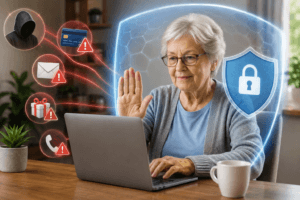
- Safety and Security: Learning how to spot scams and protect personal info is super important online.
- Entertainment and Learning: Streaming movies, finding recipes, and exploring hobbies is all easier on the web.
- Health and Independence: Telehealth, medication reminders, and online classes can help with staying healthy and independent.
If you or your relatives are new to the online world, don’t worry. The right course will start with the basics and let you build confidence, step by step.
Best Online Learning Platforms and Websites for Seniors
I’ve explored many online learning platforms, but some really stand out for seniors looking to build digital skills. These sites all offer clear lessons, a beginner-friendly pace, and some even have classes designed just for older adults.
Free Online Learning Platforms
- Senior Planet: seniorplanet.org. This nonprofit is dedicated to teaching seniors digital literacy through free online workshops covering everything from email basics to avoiding scams. Courses run live, and you can ask questions in real time.
- GCF Global: edu.gcfglobal.org. GCF offers loads of simple, self-paced tutorials and videos on internet basics, using apps, Microsoft Office, smartphones, and more.
- TechBoomers: techboomers.com. This site is packed with beginner guides on popular websites, social media, online safety, and digital life skills. All tutorials are free and very clear.
- Coursera: coursera.org. Coursera offers introductory technology courses such as “Internet History and Security” and “Digital Literacy” that can be audited for free.
- Library eLearning Platforms: Local libraries often offer free access to online courses through partnerships with services such as LinkedIn Learning. All you need is a library card.
Paid and Membership-Based Platforms
- GetSetUp: getsetup.io. Classes are designed specifically for older adults, often taught by older adults. Expect everything from using smartphones to internet privacy. Some classes are free; some charge a small fee.
- Oasis Everywhere: oasiseverywhere.org. Oasis offers live virtual classes for seniors, everything from “Tech Help Desk” to “iPad Basics.” Registration is needed; classes have a small fee.
- Udemy: udemy.com. Udemy offers specific courses for beginners, such as “Computer Basics for Seniors.” Courses often go on sale, and you buy them outright, so you can rewatch anytime.
When comparing sites, I look for easy navigation, clear instructions, and whether the platform offers help if you get lost along the way. You can find free digital skills courses for seniors on most of these sites, and paid options tend to be affordable.
Top Digital Skills Training for Seniors: Course Types You’ll Find
The best digital literacy courses for seniors cover the basics in practical, everyday language. Here are the types of online courses to give a boost to tech skills for seniors that you might want to check out:
- Basic Computer Skills: Switching a computer on and off, using a mouse and keyboard, opening programs like email or browsers, and saving files.
- Internet Basics: Understanding browsers, searching the internet, bookmarking favorite sites, and recognizing safe websites.
- Email and Communication: Creating and using email, sending attachments, using video calls with Zoom, Skype, or FaceTime.
- Smartphone and Tablet Skills: Navigating touchscreens, installing apps, changing settings, taking and sharing photos.
- Internet Safety and Privacy: Spotting scams and phishing, creating good passwords, protecting privacy, and staying safe while shopping or banking online.
- Online Shopping and Banking: Making purchases, setting up online accounts, managing banking apps, and using digital wallets.
- Social Media: Getting started on Facebook, Instagram, or WhatsApp, sharing updates, managing privacy.
- Health Tech: Telehealth basics, booking virtual appointments, using health portals and devices for wellness tracking.
Many websites for senior online learning like Senior Planet and GetSetUp break these down into bite-sized workshops, so you’re never overwhelmed.
How to Access and Start Online Courses as a Senior
Getting started with digital skills training for seniors can feel intimidating. But signing up and joining a class is easier than it sounds. Here’s a plain English walkthrough that covers common questions, especially if you haven’t done much online learning before:
- Pick Your Device: Most courses can be done on a laptop, desktop, tablet, or even a smartphone. Choose what feels most comfortable; larger screens are often easier to see.
- Connect to the Internet: You’ll need a reliable internet connection. If you need help connecting WiFi or setting up your home internet, ask a family member, friend, or local librarian to walk you through it.
- Choose a Course or Site: Start with one of the beginner-friendly sites mentioned earlier. Free digital skills courses for seniors are a solid option to dip your toe in without spending money. Browse for a class that covers exactly what you want to learn. No need to start advanced if you’re brand new!
- Create an Account: Most platforms ask for a name and email address to sign up. Pick a password you haven’t used elsewhere and write it down somewhere safe.
- Join a Class: For live classes, you might receive a link via email or view the schedule on the website. For self-paced courses, just click into the first lesson and follow along.
- Get Support: Don’t be shy about calling tech support or joining a platform with a “help” button or phone support. Many sites (especially those for seniors) offer real human help by phone or chat.
- Check Your Tech: If your course uses video (like Zoom), you might be asked to test your webcam and microphone. Most sites have a “test” feature before joining a live class.
If you hit a roadblock, like a forgotten password or trouble joining a video class, reach out for help. Friends, family, local librarians, or the platform’s support team are all great resources.
Online Digital Skills Courses for Seniors: Great Options to Explore
Here are some recommended online courses to boost tech skills for seniors, sorted by category and difficulty. If possible, I’ve included where to find them.
- “Computer Basics for Seniors” (Udemy): Step-by-step intro to computer parts, using Windows/Mac, and basic troubleshooting. Suitable for absolute beginners.
- “Staying Safe Online” (Senior Planet): Covers how to spot scams, adjust privacy settings, and use the web securely. Free live workshops often available. See courses here.
- “GCF Global – Email Basics”: A self-paced course on creating, sending, and organizing emails. Great for building confidence in digital communication. See topics here.
- “iPhone and iPad for Beginners” (GetSetUp): Live classes for understanding iOS basics, making calls, settings, installing apps, and taking photos. Check course schedules.
- “Google Search and Web Browsing” (TechBoomers): Tutorials on finding answers online, understanding search results, and avoiding misleading info. View tutorial here.
- “How to Use Zoom” (YouTube & TechBoomers): Loads of short, step-by-step videos about signing up, joining meetings, sharing your screen, and managing calls.
- “Intro to Online Banking” (Local Library or Bank): Many banks and libraries offer workshops or tutorials, either live or on-demand, covering how to log in, transfer funds, and use banking apps.
If you haven’t found exactly what you need, local community centers and libraries often offer in-person or hybrid tech classes for seniors at little or no cost. Libraries are a super underrated source for one-on-one help and digital literacy courses for seniors.
Practical Tips for Improving Your Digital Skills at Your Own Speed
Jumping into tech can feel overwhelming, especially with all the choices out there. Here are some down-to-earth tips for building digital skills for seniors without getting frazzled:
- Start Small: One new thing at a time, maybe emailing today, then video calls next week. No rush!
- Practice Regularly: Just like learning a language or instrument, a little time each day goes a long way. Repeating steps helps things stick.
- Take Notes: Write down steps that work or words you don’t know (for example: “attach file” or “refresh browser”). A simple notebook works fine.
- Use Help Resources: Don’t hesitate to use support chat, helpline numbers, or community forums if you get stuck. Senior-focused sites usually know what works best for beginners.
- Buddy Up: Taking a course with a friend or relative (or even doing weekly check-ins) keeps it fun and adds a bit of accountability.
- Stay Curious: If you see a button or setting and aren’t sure what it does, look it up. Learning by exploring builds confidence.
- Review and Repeat: If you’re not sure you got it, run through a class or lesson again. No one expects you to memorize everything the first go around.
- Find a Community: Some platforms, like Senior Planet, offer social spaces and clubs. Joining makes learning feel less lonely and is a good way to ask questions.
Your comfort level will grow with small steps. And the great thing about online learning is you can go back, pause, or repeat at any time.

Frequently Asked Questions: Digital Skills and Online Learning for Seniors
Here are some questions I hear a lot, along with simple answers to help you get started.
Question: What if I’ve never used a computer or smartphone before?
Answer: That’s completely fine. Pick a beginner class (like “Computer Basics” or “Tablet Basics”) and start at the very beginning. Everyone goes at their own pace.
Question: Is online learning safe?
Answer: The sites listed above are legit and well-reviewed, and most don’t ask for any personal info beyond your email to sign up. Watch out for classes that ask for your credit card unless you’re sure it’s a trusted website.
Question: I have trouble seeing or hearing. Are there courses that help?
Answer: Yes; platforms like Senior Planet, GetSetUp, and even YouTube offer options to increase text size, add captions, or access live instructors who can help you one-on-one.
Question: What if I get stuck in the middle of a lesson?
Answer: Pause, jot down what’s confusing, and reach out for help via email, chat, or to a tech-savvy family member. Most problems have an easy fix once you know how.
Ready to Give a Boost to Your Digital Skills?
Learning tech skills as a senior is one of the best decisions you can make for independence, safety, and fun. The web is packed with free and low-cost online courses to give a boost to digital skills for seniors, whether you’re interested in surfing the web, managing your health, or just keeping in touch. Starting small and practicing a little each day works wonders. I’ve seen folks go from zero to confidently booking appointments, chatting on video, and picking up new hobbies!
If you’ve been putting off digital learning, now’s a great time to try just one class. And if you’re reading this for a parent or grandparent, helping them sign up for their first lesson is a pretty amazing gift. There’s no deadline, no judgment, and no limit, just lots of ways to make technology a positive, comforting part of life.
This article was created with AI assistance and reviewed by a human editor.